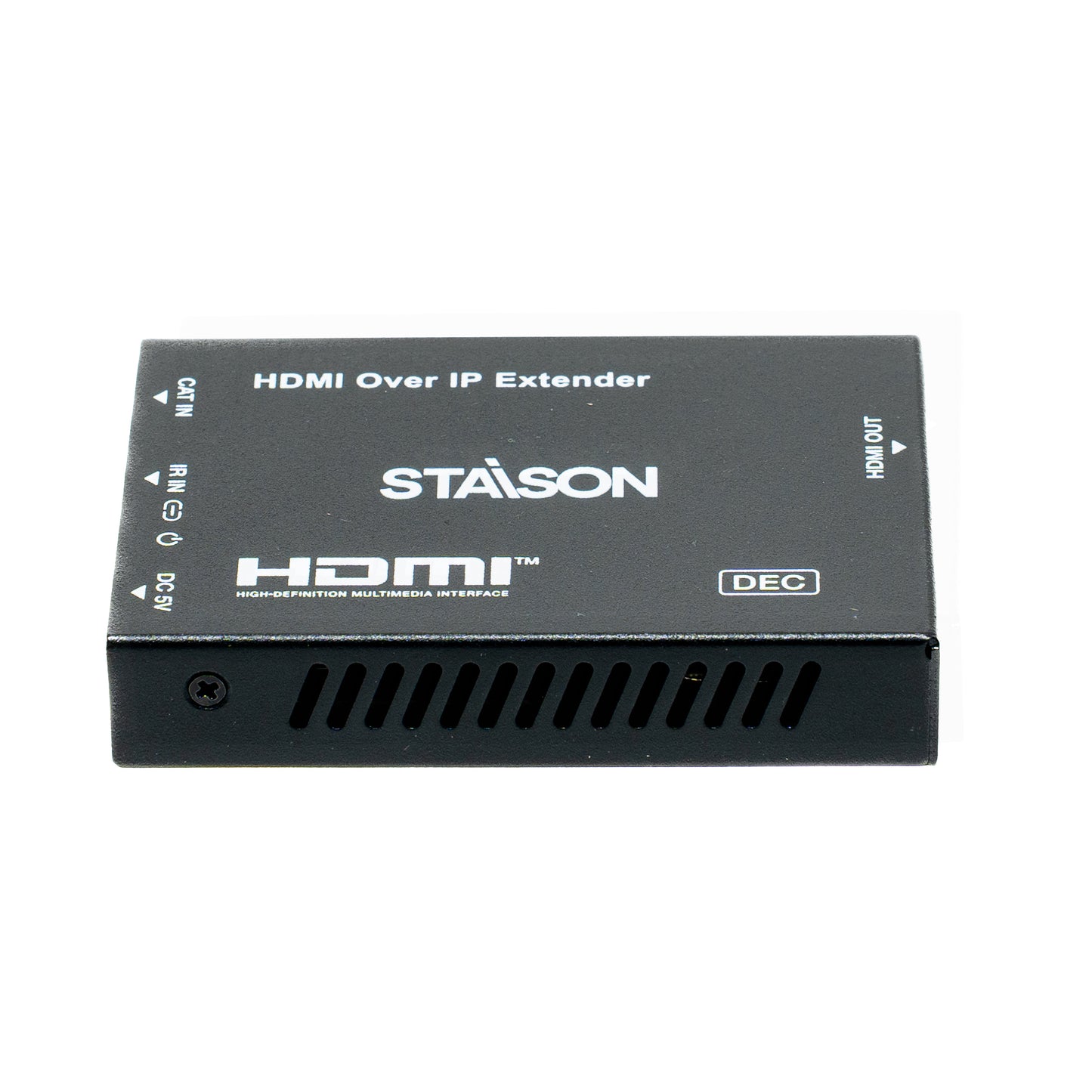
ST-NE6200 HDMI™ over IP Extender with Loop Out (150m)
ST-NE6200 HDMI™ over IP Extender with Loop Out (150m)
Regular price
0.00 SAR
Regular price
Sale price
0.00 SAR
ST-NE6200 · Ver 2.0
HDMI™ over IP Extender
with Loop Out (150m)
EZCast Protocol · CAT6 · Up to 1920×1200@60Hz · HDCP 1.4
1. Introduction
HDMI over IP Extender is based on an AV over IP solution for distribution of one HD content to one or multiple HD display devices over a standard 1G network switch, extending distance up to 150m/492ft between encoder and decoder via a CAT6 cable. It offers configurable high quality, low-bandwidth EZCast compression video. Video resolution is up to 1920×1200@60Hz. It also supports HDMI loop output on the encoder.
The product includes two units: Encoder (obtains and encodes HDMI signals, transmits via CAT6, supports HDMI loop output) and Decoder (decodes signal and outputs HDMI to HD displays). Supports one-way IR control signal transmission for the most convenient HDMI extension solution.
The product includes two units: Encoder (obtains and encodes HDMI signals, transmits via CAT6, supports HDMI loop output) and Decoder (decodes signal and outputs HDMI to HD displays). Supports one-way IR control signal transmission for the most convenient HDMI extension solution.
2. Features
3. Package Contents
📦 Encoder Package
1
HDMI over IP Extender (Encoder)1
IR Blaster Cable (1.5 meters)1
5V/1A Power Supply1
User Manual📦 Decoder Package
1
HDMI over IP Extender (Decoder)1
IR Wideband Receiver Cable (1.5 meters)1
5V/1A Power Supply1
User Manual
4. Specifications
| Parameter | Specification |
|---|---|
| Technical | |
| Video Bandwidth | 6.75Gbps |
| Video Resolution | Up to 1920×1200@60Hz Note: Does not support interlaced (i-standard) signals. |
| HDMI Compliance | HDMI 1.4 |
| HDCP Compliance | HDCP 1.4 |
| Compression Technology | EZCast |
| Color Space | RGB, YCbCr 4:4:4, YCbCr 4:2:2 |
| Color Depth | Input: 8/10/12-bit; Output: 8-bit |
| ESD Protection | IEC 61000-4-2: ±8kV (Air-gap discharge) & ±4kV (Contact discharge) |
| Audio | |
| HDMI Audio Input | PCM 2.0ch, 2.1ch, 5.1ch, 7.1ch |
| HDMI Audio Output | PCM 2.0ch |
| Sample Frequency | 32kHz, 44.1kHz, 48kHz, 88.2kHz, 96kHz, 176.4kHz, 192kHz |
| Video Network | |
| Network Bandwidth | 1G |
| Transmission Distance | 150m / 492ft |
| Switch Requirement | Transmitting data through the Data Link Layer |
| IR | |
| IR Frequency | Wideband 20Hz ~ 60kHz |
| IR Level | 5Vp-p |
| Encoder Connections | |
| Input | 1 × IN [HDMI Type A, 19-pin female] |
| Output | 1 × OUT [HDMI Type A, 19-pin female] & 1 × CAT OUT [RJ45 connector] |
| Control | 1 × IR OUT [3.5mm Stereo Mini-jack] |
| Decoder Connections | |
| Input | 1 × CAT IN [RJ45 connector] |
| Output | 1 × OUT [HDMI Type A, 19-pin female] |
| Control | 1 × IR IN [3.5mm Stereo Mini-jack] |
| Mechanical | |
| Housing | Metal Enclosure |
| Silkscreen Color | Black |
| Dimensions | 88mm [W] × 61.2mm [D] × 16.5mm [H] |
| Weight | Encoder: 158g, Decoder: 155g |
| Power Consumption | Encoder: 1.5W, Decoder: 1.1W (Max) |
| Power Supply | Input: AC100–240V 50/60Hz; Output: DC 5V/1A (US/EU, CE/FCC/UL certified) |
| Environmental | |
| Operating Temperature | 0°C ~ 40°C / 32°F ~ 104°F |
| Storage Temperature | -20°C ~ 60°C / -4°F ~ 140°F |
| Relative Humidity | 20~90% RH (non-condensing) |
5. Operation Controls and Functions
5.1 Encoder Panel
Encoder — All Ports & Controls
| No. | Name | Function Description |
|---|---|---|
| 1 | IN | HDMI input port — connect to HDMI source device (DVD, set-top box) with an HDMI cable. |
| 2 | OUT | HDMI loop output port — connect to an HDMI display device (TV, monitor) with an HDMI cable. |
| 3 | LINK LED | Blue LED flashes when encoder is connected to decoder or to Switch / router / hub. |
| 4 | Power LED | Blue LED is on when the encoder is powered on. |
| 5 | CAT OUT | Connected to the CAT IN port of decoder or to Switch / router / hub via CAT6 cable for sending signal to decoder. |
| 6 | IR OUT | Connect the IR blaster cable. The IR blaster signal comes from the IR IN port of the decoder. |
| 7 | DC 5V | Plug the DC 5V/1A power supply into the unit and connect the adapter to an AC outlet. |
5.2 Decoder Panel
Decoder — All Ports & Controls
| No. | Name | Function Description |
|---|---|---|
| 1 | OUT | HDMI output port — connect to the HDMI display device (TV, monitor) with an HDMI cable. |
| 2 | CAT IN | Connected to the CAT OUT port of encoder or to Switch / router / hub via CAT6 cable for receiving signal from encoder. |
| 3 | IR IN | Connect the IR receiver cable. The IR signal is sent to the IR OUT port of the encoder. |
| 4 | LINK LED | Blue LED flashes when decoder is connected to encoder or to Switch / router / hub. |
| 5 | Power LED | Blue LED is on when the decoder is powered on. |
| 6 | DC 5V | Plug the DC 5V/1A power supply into the unit and connect the adapter to an AC outlet. |
5.3 IR Pin Definition
IR Blaster
IR Receiver
6. Application Examples
Figure 1: Encoder connects Decoder directly (Point-to-Point, up to 150m)
How it works: Connect your source device (DVD/set-top box) to the Encoder's HDMI IN. The Encoder transmits the signal over a single CAT6 cable (up to 150m) to the Decoder, which outputs HDMI to the remote TV. The Encoder also provides a HDMI Loop Out for a local TV at the source location. A one-way IR control path lets you operate the source device using the remote at the display end.
Figure 2: Encoder connects Decoders via L2 Switch (1 Encoder → Multiple Decoders)
How it works: Connect the Encoder to a 1G L2 network switch via CAT6. Connect each Decoder to the same switch. The switch distributes the video to all Decoders simultaneously — each driving its own display. Ideal for digital signage, multi-room video, classrooms, and boardrooms.
The terms HDMI and HDMI High-Definition Multimedia Interface, and the HDMI Logo are trademarks or registered trademarks of HDMI Licensing LLC in the United States and other countries.
Product features
Product features
Materials and care
Materials and care
Merchandising tips
Merchandising tips