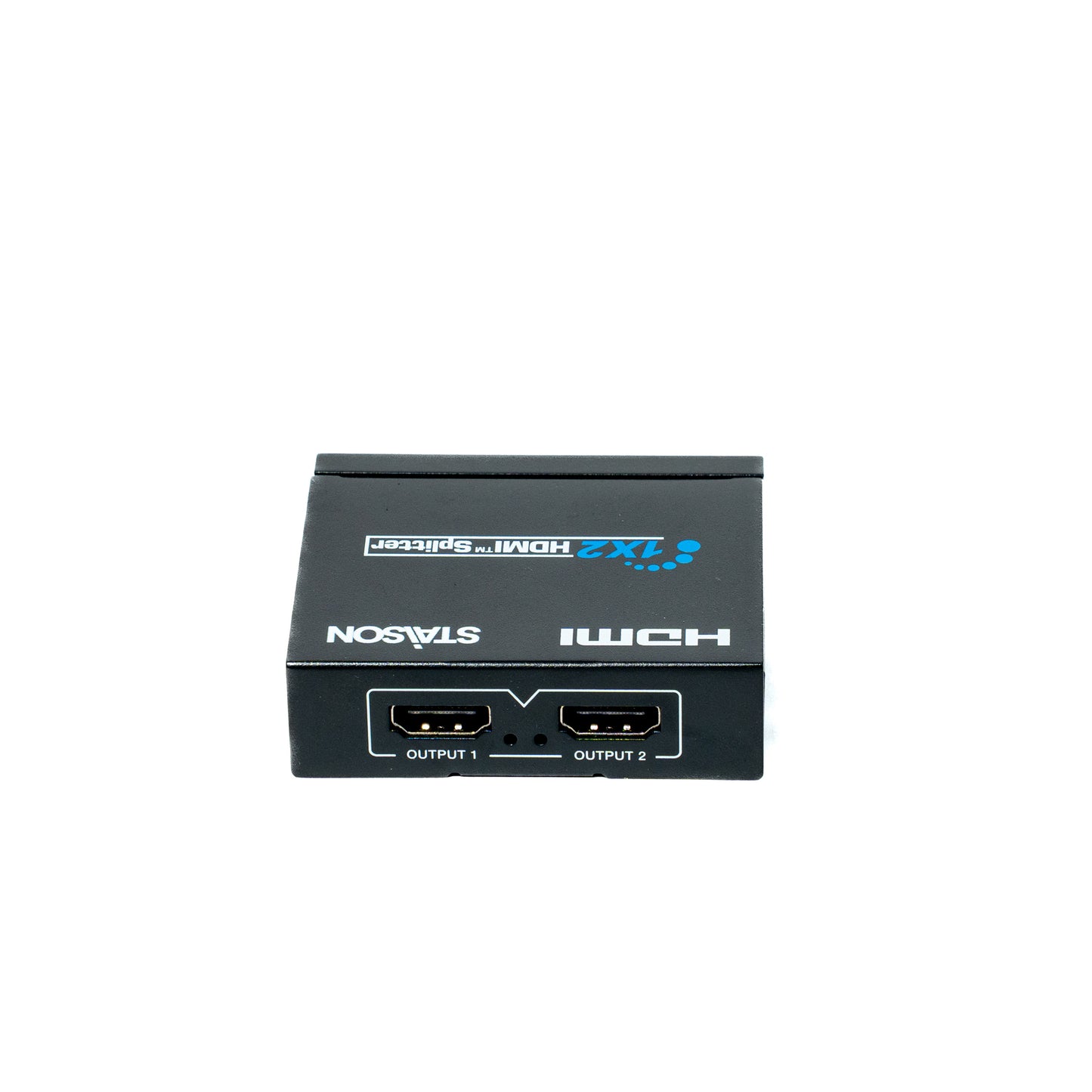
ST-N9812 - HDMI 1 by 2 Splitter
ST-N9812 - HDMI 1 by 2 Splitter
Regular price
0.00 SAR
Regular price
Sale price
0.00 SAR
Model ST-N9812 · VER 1.2
HDMI 1 by 2 Splitter
One Source → Two Displays · 4K×2K@30Hz · HDMI 1.4b
This HDMI Splitter can distribute 1 HDMI input signal source to 2 HDMI displays simultaneously. Supported video resolution is up to 4K×2K@30Hz. It supports digital audio formats: DTS-HD / Dolby TrueHD / LPCM 7.1 / DTS / Dolby-AC3 / DSD. The product supports HDMI signal input debounce and output amplification functions, and is perfectly compatible with all current HDMI source devices and display devices.
Features
HDMI 1.4b and HDCP 1.4 compliant
Support video resolution up to 4K×2K@30Hz
Support HDMI signal input debounce and output amplification functions
Support 3D video format
Supported color depths: 30-bit, 36-bit and 48-bit/pixel
Supported audio formats: DTS-HD / Dolby TrueHD / LPCM 7.1 / DTS / Dolby-AC3 / DSD
Compact design for easy and flexible installation
Package Contents
1 1 × HDMI 1 by 2 Splitter
2 1 × 5V/1A Power Adapter
3 1 × User Manual
Specifications
| Parameter | Detail |
|---|---|
| HDMI Compliance | HDMI 1.4b |
| HDCP Compliance | HDCP 1.4 |
| Video Bandwidth | 2.97 Gbps |
| Video Resolution | Up to 4K×2K@30Hz |
| Color Depth | 30-bit, 36-bit and 48-bit/pixel |
| Audio Formats | DTS-HD / Dolby TrueHD / LPCM 7.1 / DTS / Dolby-AC3 / DSD |
| Input | 1 × HDMI Type A (19-pin female) |
| Output | 2 × HDMI Type A (19-pin female) |
| ESD Protection | Human body model: ±8 kV (air-gap discharge), ±4 kV (contact discharge) |
| Housing | Metal Enclosure — Black |
| Dimensions | 60 mm [W] × 70 mm [D] × 20 mm [H] |
| Weight | 125 g |
| Power Supply | DC 5V / 1A |
| Power Consumption | 1.5 W |
| Operating Temperature | 32–104 °F / 0–40 °C |
| Storage Temperature | -4–140 °F / -20–60 °C |
| Relative Humidity | 20–90% RH (no condensation) |
Operation Controls and Functions
Front Panel
| No. | Name | Function Description |
|---|---|---|
| 1 | EDID Switch | Use the switch to set EDID mode: ▪ Copy mode: Copy the EDID of HDMI OUTPUT 1 port to the input port. ▪ Auto mode: Compare the EDID of two HDMI output ports automatically, and merge a new EDID to the input port. |
| 2 | Input LED | Red LED is on when there is HDMI signal input. |
| 3 | HDMI INPUT | HDMI signal input port. Connect to HDMI source device such as DVD or PS3 box with HDMI cable. |
| 4 | DC 5V | 5V DC power supply port. |
Rear Panel
| No. | Name | Function Description |
|---|---|---|
| 1 | HDMI OUTPUT 1 | HDMI signal output port 1. Connect to HDMI display device such as HDTV or Monitor. |
| 2 | OUTPUT 1 LED | Red LED is on when the HDMI OUTPUT 1 port outputs HDMI signals. |
| 3 | OUTPUT 2 LED | Red LED is on when the HDMI OUTPUT 2 port outputs HDMI signals. |
| 4 | HDMI OUTPUT 2 | HDMI signal output port 2. Connect to HDMI display device such as HDTV or Monitor. |
Application Example
How it works: Connect your DVD, Blu-ray player, gaming console, or any HDMI source to the HDMI INPUT on the front panel. The splitter simultaneously mirrors the signal to HDMI OUTPUT 1 and HDMI OUTPUT 2 on the rear panel — driving two TVs or monitors with the same picture and sound.
The terms HDMI and HDMI High-Definition Multimedia Interface, and the HDMI Logo are trademarks or registered trademarks of HDMI Licensing LLC in the United States and other countries.
Product features
Product features
Materials and care
Materials and care
Merchandising tips
Merchandising tips