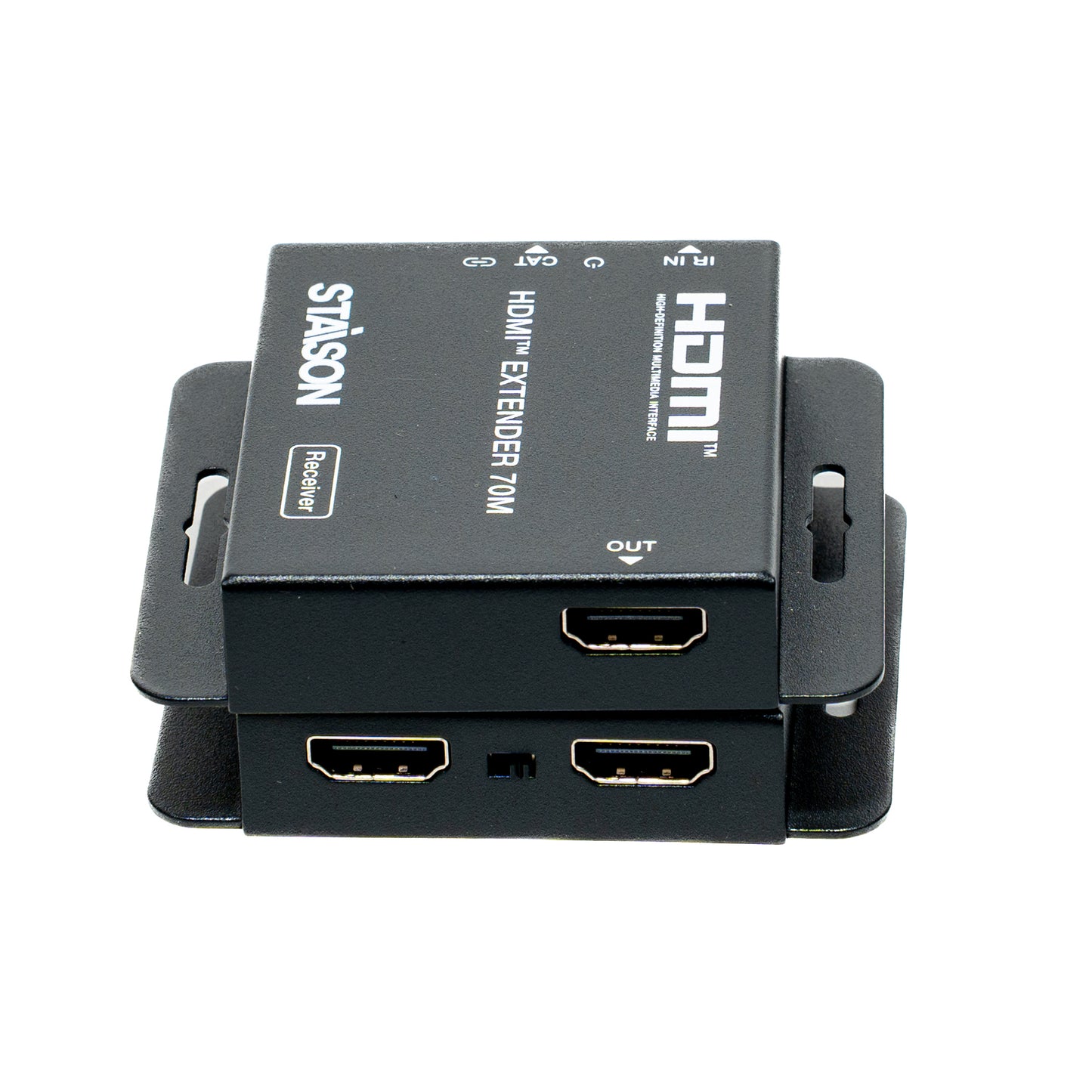
ST-NED970C HDMITM Extender (70M) with IR Control
ST-NED970C HDMITM Extender (70M) with IR Control
Regular price
0.00 SAR
Regular price
Sale price
0.00 SAR
HDMI™ Extender over Single Cat5e/6
HDMI™ Extender (70M) with IR Control
Model: ST-NED970C | User Manual Ver 2.0 | Uncompressed Zero Latency Ultra HD
The ST-NED970C HDMI™ Extender is engineered to transmit uncompressed, zero-latency high-definition video, professional audio, and high-precision infrared control signals across long distances using just a single standard CAT5e/CAT6 network cable. Featuring dynamic one-way Power over Cable (POC) technology and an integrated physical EDID copy mechanism, this high-performance point-to-point extender simplifies complex infrastructure installations while offering bulletproof device signal alignment and active commercial-grade ESD electronic protection.
Key Features
Package Contents
①
1 × HDMI Transmitter (TX) Box②
1 × HDMI Receiver (RX) Box③
1 × IR Blaster Cable (1.5 meters)④
1 × IR Receiver Cable (1.5 meters)⑤
1 × 12V / 1A DC Universal Power Adaptor⑥
1 × Official Product User Manual
Specifications
| Parameter | Details |
|---|---|
| HDMI Compliance | HDMI 1.4 |
| HDCP Compliance | HDCP 1.4 |
| Video Bandwidth | 10.2 Gbps |
| Max Resolution Supported | Up to 4K2K @ 30Hz YUV 4:4:4 |
| Audio Format Support | PCM 2.0/5.1/7.1ch, Dolby Digital, DTS 5.1, Dolby TrueHD, DTS-HD Master Audio |
| CAT6 Transmission Profile | 1080p up to 230ft (70m) | 4K30 up to 131ft (40m) |
| CAT5e Transmission Profile | 1080p up to 197ft (60m) | 4K30 up to 115ft (35m) |
| Transmitter I/O Connections | 1 × HDMI IN, 1 × HDMI LOOP OUT, 1 × IR OUT (3.5mm), 1 × CAT OUT (RJ45), 1 × DC 12V |
| Receiver I/O Connections | 1 × CAT IN (RJ45), 1 × HDMI OUT, 1 × IR IN (3.5mm) |
| ESD Protection Rating | IEC 61000-4-2: ±8kV (Air-gap), ±4kV (Contact) |
| Power Supply Input/Output | Input: AC 100–240V 50/60Hz | Output: DC 12V / 1A |
| Power Consumption Profile | Transmitter (TX): Max 1.86W | Receiver (RX): Max 0.87W |
| Dimensions (Each Device) | 79.5 mm (W) × 69 mm (D) × 16.5 mm (H) |
| Enclosure / Color Base | Rugged Metal Enclosure | Deep Black Industrial Coating |
| Weight Distribution | Transmitter (TX): 132g | Receiver (RX): 130g |
| Environmental Tolerances | Operating: 0°C ~ 40°C (32°F ~ 104°F) | Humidity: 20% ~ 80% RH (Non-condensing) |
Operation Controls and Functions
Transmitter Panel Layout (Front & Back view)
| # | Interface Name | Detailed Mechanical Functionality |
|---|---|---|
| 1 | HDMI IN | HDMI system input interface port. Connect directly into source output configurations (e.g. Blu-ray, PC, STB). |
| 2 | EDID Switch | Two-position compatibility selection toggle. Left: copies the EDID properties of the distant display on the Receiver. Right: copies the EDID properties of the local screen on the Loop Out. |
| 3 | HDMI OUT | Local signal Loop Out channel port. Connects to local monitoring screen configurations. |
| 4 | IR OUT | 3.5mm IR Blaster mini-jack connector. Sends commands back to the source IR window. [Tip=Signal, Ring=Power, Sleeve=NC] |
| 5 | Power LED | System active operational indicator. Illuminates green continuously when DC 12V current is verified. |
| 6 | CAT OUT Port | RJ45 uncompressed processing transmission output. Feeds structural cable to transfer A/V, IR and POC data. |
| 7 | Signal LED | Active signal monitoring indicator. Solid On: HDMI signal with HDCP. Flashing: HDMI signal without HDCP. Off: No active HDMI input recognized. |
| 8 | DC 12V | Electrical power grid input hub. Connect the included 12V/1A adapter here to run both local TX and remote RX via Power over Cable. |
Receiver Panel Layout (Front & Back view)
| # | Interface Name | Detailed Mechanical Functionality |
|---|---|---|
| 1 | HDMI OUT | HDMI system output interface port. Connect directly into terminal remote hardware monitors, HDTVs, or digital projection lenses. |
| 2 | IR IN | 3.5mm IR Receiver command extension jack. Absorbs external handset infrared control codes. [Tip=Signal, Ring=Power, Sleeve=Ground] |
| 3 | Power LED | System active operational indicator. Illuminates green continuously once Power over Cable (POC) loop validation completes. |
| 4 | CAT IN Port | RJ45 uncompressed processing reception input. Receives standard network media feed line originating from the transmitter module. |
| 5 | Signal LED | Active signal monitoring indicator. Solid On: HDMI signal with HDCP. Flashing: HDMI signal without HDCP. Off: No active incoming video link caught. |
Application Example
Operational Architecture Setup: Connect your uncompressed high-definition audio/video media player into the Transmitter's HDMI Input port using standard layout connections. If you require a close-range observation desk monitor, plug it into the HDMI Loop Output. Connect both metal extenders together using a point-to-point, single continuous non-crossover patch CAT5e/6 infrastructure line terminated strictly to the T568B network standard. Route the remote display monitor from the Receiver's dedicated HDMI Output port. Affix the IR Receiver near your distant television frame to absorb controller remote codes and bridge commands back to the IR Blaster positioned adjacent to your media equipment source face.
Regulatory & Connectivity Infrastructure Notes:
1. Always utilize high-grade copper UTP network patch wiring. Under no circumstances should cross-over configuration layouts be implemented, as direct straight-through T568B execution is mandatory to prevent unit failures.
2. HDMI™, High-Definition Multimedia Interface, and the HDMI Logo are verified regulatory commercial properties or legally registered trademarks of HDMI Licensing Administrator, Inc.
1. Always utilize high-grade copper UTP network patch wiring. Under no circumstances should cross-over configuration layouts be implemented, as direct straight-through T568B execution is mandatory to prevent unit failures.
2. HDMI™, High-Definition Multimedia Interface, and the HDMI Logo are verified regulatory commercial properties or legally registered trademarks of HDMI Licensing Administrator, Inc.
Product features
Product features
Materials and care
Materials and care
Merchandising tips
Merchandising tips